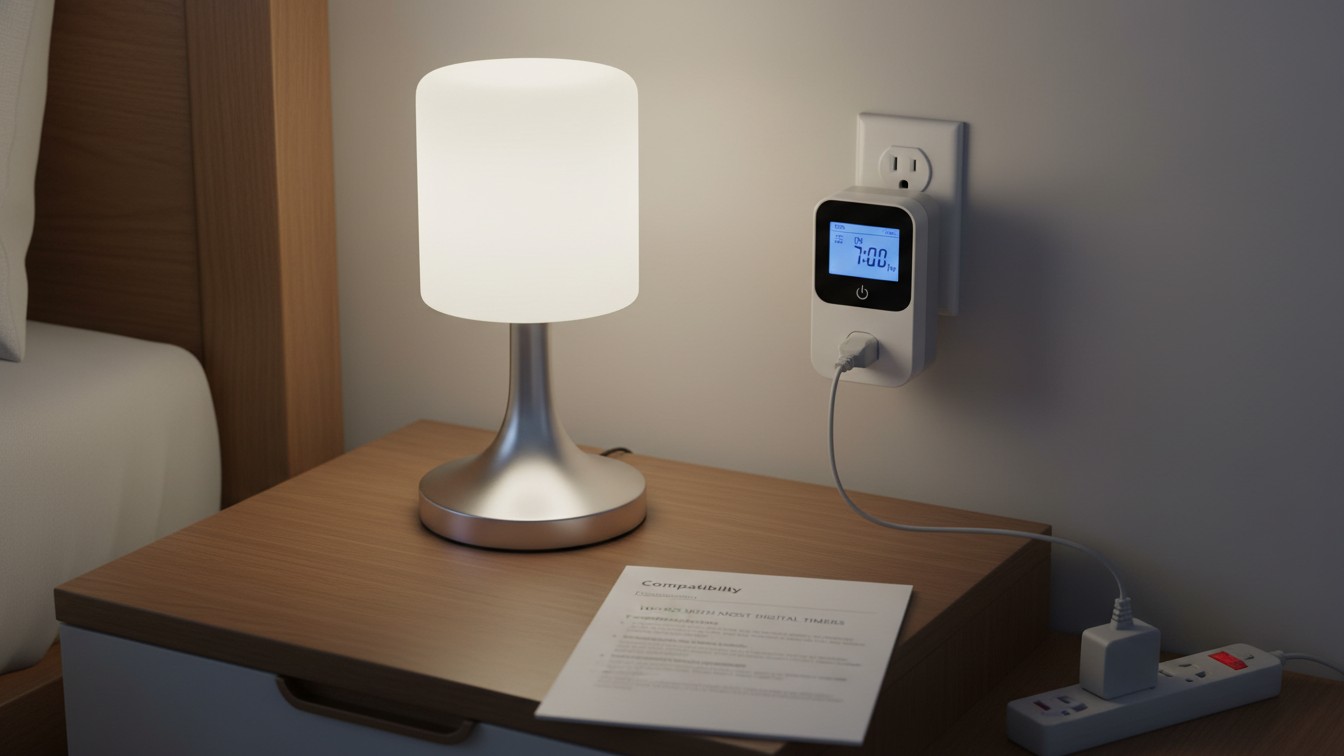
Touch lamps typically do not work with timers because the lamp requires physical touch to turn on the light. Even if a timer is used to switch the power on and off, the lamp will not light up unless it is physically touched.
This limitation is due to the way touch lamps are designed and their reliance on human touch for activation.
Touch Lamps And Electrical Components
Touch lamps typically do not work well with timers. The lamp requires physical touch to turn on the light, so even if the power is supplied by the timer, it will not light up without someone physically touching it. Therefore, it is recommended to directly plug the touch lamp into a wall socket instead.
Basics Of Touch Lamp Technology
A touch lamp is a unique type of lamp that can be turned on and off simply by touching a specific section of the light. This technology relies on electronic components to detect the touch and activate the lamp. Understanding the basics of touch lamp technology can help you determine whether it will work with timers.
Key Components Enabling Touch Functionality
Several key components work together to enable the touch functionality of these lamps. These components include:
- Sensor – The touch sensor is responsible for detecting when the lamp is touched. It senses the change in electrical capacitance when a person’s hand comes into contact with the lamp.
- Controller – The controller processes the signals from the touch sensor and sends the necessary commands to the lamp’s internal circuitry.
- Internal Circuitry – The internal circuitry of the lamp controls the power supply and the intensity of the light. It receives commands from the controller and activates the necessary circuits to turn the lamp on or off.
- Light Bulb – The light bulb is the final component that produces the actual light when the lamp is turned on.
Touch Lamps Vs. Traditional Switch Lamps
Touch lamps differ from traditional switch lamps in their method of activation. While traditional switch lamps rely on physical switches to turn on and off, touch lamps utilize the capacitive touch technology we discussed earlier. This unique feature allows for a more convenient and user-friendly experience.
However, when it comes to using timers with touch lamps, there may be some limitations to consider. Since touch lamps require physical touch to activate, they may not work seamlessly with timers that rely on simply switching the electrical supply on and off. Even if the timer supplies power to the lamp, it will not light up without someone physically touching it to switch it on.
It’s important to test the compatibility of your touch lamp with a timer before using them together. Plug your touch lamp directly into a wall socket and touch it to see if it turns on. If it does, you can then try connecting it to a timer to see if it works as expected. Some touch lamps may be compatible with timers, while others may not.
To conclude, touch lamps are an innovative type of lamp that adds convenience and ease of use to your home. While they may not always work seamlessly with timers, it’s worth testing their compatibility to see if you can enjoy the benefits of both technologies.
Credit: www.homedepot.com
Interaction With External Devices
A touch lamp is a convenient and modern lighting solution that allows you to turn the lamp on and off simply by touching a specific part of it. However, if you are considering adding a timer to your touch lamp, you may wonder if these devices are compatible. In this article, we will explore the interaction between touch lamps and external devices, specifically focusing on timers.
Typical Compatibility With Add-on Devices
When it comes to compatibility with add-on devices, touch lamps generally work well with timers. However, it is important to note that not all touch lamps are designed to be used with timers, so it is crucial to check the compatibility before making a purchase.
Typically, touch lamps can be used with socket timers that allow you to set a specific time for the lamp to turn on or off. This can be a convenient feature, especially if you want your touch lamp to automatically illuminate a room at a certain time or create a cozy ambiance when you arrive home.
Factors Affecting Touch Lamp Interactions
While touch lamps can work with timers, there are several factors to consider that may affect their interaction. These factors include:
- Electrical wiring: Some touch lamps may require a specific type of wiring to be compatible with timers. It is essential to ensure that your touch lamp’s wiring is compatible with the timer you plan to use.
- Bulb type: Certain bulb types, such as energy-saving bulbs or dimmable bulbs, may not be compatible with touch lamp timers. Always refer to the manufacturer’s instructions or product specifications to determine bulb compatibility.
- Touch sensitivity: The touch sensitivity of your lamp may also influence its interaction with timers. If the touch function of the lamp is too sensitive or not sensitive enough, it may not respond properly to the timer’s control signals.
By considering these factors and ensuring compatibility between your touch lamp and the timer, you can enjoy the convenience of automated lighting in your home.
Timers Compatibility With Touch Lamps
A touch lamp is a convenient and modern lighting solution that allows users to turn the lamp on and off with just a touch. However, if you are interested in adding a timer function to your touch lamp, it is important to consider compatibility. Some touch lamps may not work effectively with timers, and understanding the impact of lamp electronics on timer functionality is crucial.
Identifying Compatible Timer Types
When it comes to timers compatibility with touch lamps, it is essential to identify compatible timer types. The most widely-used timer types for touch lamps are simple-set timers and digital timers. Simple-set timers are perfect for controlling lamps, fans, electronics, and other small appliances. They are also compatible with various types of bulbs, including LED, CFL, incandescent, and halogen.
On the other hand, digital timers offer more advanced features and programmability options. These timers work seamlessly with incandescent, CFL, halogen, and LED bulbs, making them ideal for controlling porch lights, lamps, seasonal lighting, and more. Whether you choose a simple-set timer or a digital timer, compatibility with touch lamps is crucial for effective and efficient operation.
The Impact Of Lamp Electronics On Timer Functionality
Touch lamps rely on electronic switches that respond to human touch to turn the lamp on and off. However, the specific design and electronics of touch lamps can have an impact on timer functionality. As timers simply switch the electrical supply on and off, they might supply power to the lamp, but it won’t necessarily light up if it requires physical contact to activate the bulb.
It is important to note that touch lamps require the user to physically touch a specific area of the lamp to turn it on. This interaction makes it unlikely that the lamp will activate even when power is supplied through the timer. Understanding the impact of lamp electronics on timer functionality will help you determine whether your specific touch lamp is compatible with timers or not.
Testing For Compatibility Before Setup
Prior to setting up a timer for your touch lamp, it is crucial to test for compatibility. Plug your touch lamp directly into a wall socket and test its functionality. Touch the designated area to ensure the lamp turns on as intended. If the lamp functions properly when connected directly, it is likely that it will not work effectively with a timer.
Before investing in a timer, it is recommended to consult the manufacturer’s instructions or reach out to their customer support to confirm whether their specific touch lamp model is compatible with timers. Taking these precautionary steps will save you time and frustration in the long run, ensuring a seamless integration of a timer with your touch lamp.
Integrating Timers Into Touch Lamps
A touch lamp is a convenient and stylish lighting option that allows you to turn the lamp on and off with a simple touch. However, you may be wondering if it’s possible to integrate a timer into your touch lamp to automate its functionality.
Fortunately, it is indeed possible to incorporate timers into touch lamps, providing you with even greater control and convenience. In this article, we will explore the steps to integrate timers and offer some valuable tips for maintaining touch sensitivity.
Steps To Incorporate Timers With Touch Lamps
- Step 1: Ensure compatibility
Before you start integrating a timer with your touch lamp, it’s essential to ensure compatibility. Not all touch lamps are compatible with timers, so it’s crucial to test your lamp’s compatibility before proceeding. Plug your touch lamp directly into a wall socket and check if it works. - Step 2: Choose the right timer
Once you have confirmed that your touch lamp is compatible with a timer, it’s time to choose the right one. There are various types of timers available in the market, such as socket timers, in-wall timers, and digital bar timers. Select a timer that suits your specific needs and preferences. - Step 3: Install the timer
Follow the manufacturer’s instructions to install the timer. This typically involves connecting the timer to the power source and the touch lamp. Ensure that you follow all safety guidelines and switch off the power before installation. - Step 4: Set the timer
Once the timer is properly installed, you can then set the desired on and off times. Most timers feature user-friendly programming options, allowing you to set specific time intervals or create a custom schedule for your touch lamp. - Step 5: Test and adjust
After setting the timer, it’s essential to test its functionality. Ensure that the touch lamp responds correctly to the timer’s commands. If necessary, adjust the timer settings until you achieve the desired automation for your touch lamp.
Tips For Maintaining Touch Sensitivity
- Regular cleaning: Clean the touch-sensitive area of your lamp regularly to remove any dust or dirt buildup. This will help ensure optimal touch sensitivity.
- Avoid excessive force: When operating your touch lamp, remember to use gentle and precise touches. Excessive force can potentially damage the touch-sensitive mechanism.
- Avoid moisture: Keep your touch lamp away from areas with high humidity or moisture, as these conditions can affect touch sensitivity.
- Consider dimmer switches: If you want to adjust the brightness of your touch lamp, consider using a dimmer switch specifically designed for touch lamps. This allows you to control the intensity of light without compromising touch sensitivity.
- Inspect the wiring: Regularly inspect the wiring of your touch lamp to ensure it is securely connected and in good condition. Any loose connections or damaged wiring can impact touch sensitivity.
By following these steps and tips, you can successfully integrate a timer into your touch lamp and maintain its touch sensitivity. Enjoy the convenience of automated lighting while still retaining the unique touch functionality that makes touch lamps so popular.
Ensuring Timer Efficiency With Touch Lamps
Touch lamps do not work effectively with timers because the lamp requires physical touch to turn on. Even though the power is supplied through the timer, the lamp will not light up unless it is manually touched. This makes it difficult to use timers with touch lamps.
If you are considering using a timer with your touch lamp, it is important to ensure that the two are compatible and will work together seamlessly. While touch lamps and timers can be a convenient combination, there are a few factors to consider to ensure timer efficiency and avoid any potential issues.
In this section, we will explore the best practices for timer settings and provide troubleshooting tips for any problems that may arise.
Best Practices For Timer Settings
When setting up a timer with your touch lamp, following these best practices can help optimize its functionality:
- Choose a timer that is compatible with your touch lamp. Some touch lamps may not work with timers due to their electronic switch mechanisms. Before purchasing a timer, check the lamp’s specifications or consult with the manufacturer to ensure compatibility.
- Set the timer according to your lighting needs. Consider the time of day and the amount of light required in the room. For example, if you want the lamp to turn on in the evening and turn off in the morning, set the timer accordingly to mimic natural daylight patterns.
- Experiment with different timer settings to find the perfect balance. Adjust the timer based on your preferences and daily routine. It may take a few tries to find the ideal timing that suits your needs and creates the desired atmosphere.
- Regularly update the timer settings to accommodate changes in daylight hours. As the seasons change, the amount of natural light entering the room varies. Be mindful of these changes and adjust the timer accordingly to maintain a consistent lighting schedule.
Potential Issues And Troubleshooting Tips
In certain situations, you may encounter issues when using a timer with your touch lamp. Here are some potential problems and troubleshooting tips to resolve them:
| Issue | Troubleshooting Tip |
|---|---|
| The touch lamp doesn’t turn on/off despite the timer being active. | Ensure that the touch lamp is plugged directly into a wall socket without any intermediaries. Some touch lamps require direct power to function properly, and using a timer in between might disrupt their functionality. |
| The touch lamp turns on/off at unexpected times. | Double-check the timer settings to ensure they are correctly programmed. Make sure the timer is not influenced by any external factors, such as interference from neighboring electronic devices or power fluctuations. |
| The touch lamp flickers or behaves erratically when controlled by the timer. | Try using a different timer or adjust the timer settings to see if the issue persists. Some lamps may not be compatible with certain timer models, especially if they have specific electronic dimmers or other advanced features. |
| The touch lamp doesn’t respond to touch commands while the timer is active. | Review the lamp’s manual or contact the manufacturer to verify whether the touch function can be overridden by the timer. Certain touch lamps may require manual operation to turn on or off, and the timer function might not be compatible with this type of interaction. |
By following these best practices and troubleshooting tips, you can ensure timer efficiency with your touch lamp. Remember to always refer to the lamp’s manual or consult with the manufacturer if you encounter any difficulties or have specific questions about compatibility.
Creative Uses Of Timers With Touch Lamps
Touch lamps are a convenient and stylish way to control lighting in your home. They provide easy access to turning your lights on and off with just a simple touch. But did you know that you can enhance the functionality of your touch lamps by using timers? Yes, timers can be a creative addition to your touch lamps, allowing you to automate your lighting for atmosphere and convenience. Let’s explore some creative uses of timers with touch lamps.
Automating Lighting For Atmosphere And Convenience
One of the creative uses of timers with touch lamps is automating your lighting for atmosphere and convenience. With timers, you can set your touch lamps to turn on and off at specific times, creating a cozy and welcoming ambiance in your home. For example, you can program your touch lamps to turn on just before sunset, providing a warm and inviting glow as you enter your home.
Similarly, you can set them to turn off at bedtime, ensuring that you don’t forget to turn off the lights before going to sleep. By automating your lighting with timers, you can effortlessly create the perfect atmosphere for any occasion.
Syncing Multiple Touch Lamps With Timers, Ensuring Each
syncing multiple touch lamps with timers, ensuring each lamps turns on and off simultaneously can be a game changer. Say goodbye to the hassle of manually turning each touch lamp on or off individually.
With timers, you can synchronize multiple touch lamps in different rooms of your home. This means that when you activate the timer, all your touch lamps will turn on or off together, creating a coordinated lighting experience throughout your living space.
Whether you’re hosting a gathering or simply want to add a touch of elegance to your home, synchronizing your touch lamps with timers can provide a convenient and visually appealing solution.
Upgrading Home Automation
With advancements in technology, home automation has become increasingly popular, offering convenience and control at your fingertips. Smart home systems allow you to connect and control various devices in your home, including lights, thermostats, and even touch lamps. In this article, we will explore how to connect touch lamps to smart home systems and discuss the future of touch lamps and timer technology.
Connecting Touch Lamps To Smart Home Systems
Many touch lamps can be integrated into smart home systems, providing you with the ability to control them remotely using a smartphone or voice commands. To connect your touch lamp to a smart home system, follow these steps:
- Ensure that your touch lamp is compatible with the smart home system you are using. Check the manufacturer’s documentation or website for compatibility information.
- Download and install the corresponding mobile app for your smart home system on your smartphone.
- Open the app and follow the on-screen instructions to add your touch lamp to the system. This usually involves scanning a QR code or entering a unique code provided with the lamp.
- Once added, you can control your touch lamp through the app, schedule timers, and even create automation routines to turn the lamp on or off based on specific triggers, such as motion detection or sunset/sunrise times.
- If your smart home system supports voice control, you can also use voice commands to control your touch lamp. Simply link your smart home system with your preferred voice assistant (such as Amazon Alexa or Google Assistant) and start controlling your touch lamp with your voice.
By connecting your touch lamp to a smart home system, you can enjoy the convenience of controlling your lighting from anywhere, adding an extra level of automation and customization to your home.
The Future Of Touch Lamps And Timer Technology
The future of touch lamps and timer technology looks promising, with continuous advancements being made to enhance their functionality and compatibility. Manufacturers are working on developing touch lamps that seamlessly integrate with various smart home systems, giving users more options and flexibility in controlling their lighting.
Additionally, timer technology has seen improvements to cater to the unique requirements of touch lamps. While traditional timers might not be suitable for touch lamps due to their reliance on physical switches, new timer solutions are being designed specifically for touch lamps.
These timers can detect when a touch is registered on the lamp and trigger the timer accordingly, offering a convenient alternative for automating your touch lamp.
In conclusion, touch lamps can indeed work with timers, especially when integrated into smart home systems. With the ability to control your touch lamp remotely, schedule timers, and automate through smart routines, upgrading your home automation to include touch lamps opens up a world of possibilities.
As technology continues to evolve, the future of touch lamps and timer technology holds even more exciting advancements for homeowners seeking enhanced convenience and control in their living spaces.
Frequently Asked Questions Of Do Touch Lamps Work With Timers
Does A Touch Lamp Work With A Timer?
Touch lamps do not typically work with timers. The lamp requires human touch to turn on, so even if power is supplied by the timer, the lamp will not light up without being touched.
Why Don T They Make Touch Lamps Anymore?
Touch lamps are not commonly made anymore because they are not compatible with certain devices like LED bulbs or timers. Additionally, many people prefer to use energy-efficient bulbs and have moved away from incandescent bulbs. The lack of demand and compatibility issues have contributed to the decline in touch lamp production.
Do Touch Lamps Work With Switches?
Yes, touch lamps do not have an external switch and are operated by touch. They do not work with switches or timers as they require direct physical contact to turn on and off.
Do Led Lights Work With Timers?
Yes, LED lights can work with timers. However, it’s important to note that touch lamps may not work effectively with a timer. This is because touch lamps require physical interaction to turn on and off, and the timer may not be able to activate the lamp through touch.
It’s recommended to test compatibility by plugging the touch lamp directly into a wall socket before using a timer.
Conclusion
To answer the question, touch lamps generally do not work well with timers. Because touch lamps require physical touch to turn on, they do not respond to the simple on-off switch of a timer. This means that even if the timer supplies power to the lamp, it will not light up unless someone physically touches it.
While some touch lamps may work with timers, it is not a guarantee. Therefore, it is advisable to test the compatibility of your touch lamp with a timer before purchasing one.

I’m Emily Johnson, an affiliate marketer and blogger focused on lamps and lighting. I share honest reviews, simple buying guides, and practical tips. My goal is to help readers choose the right lamp for their space, style, and budget with confidence.