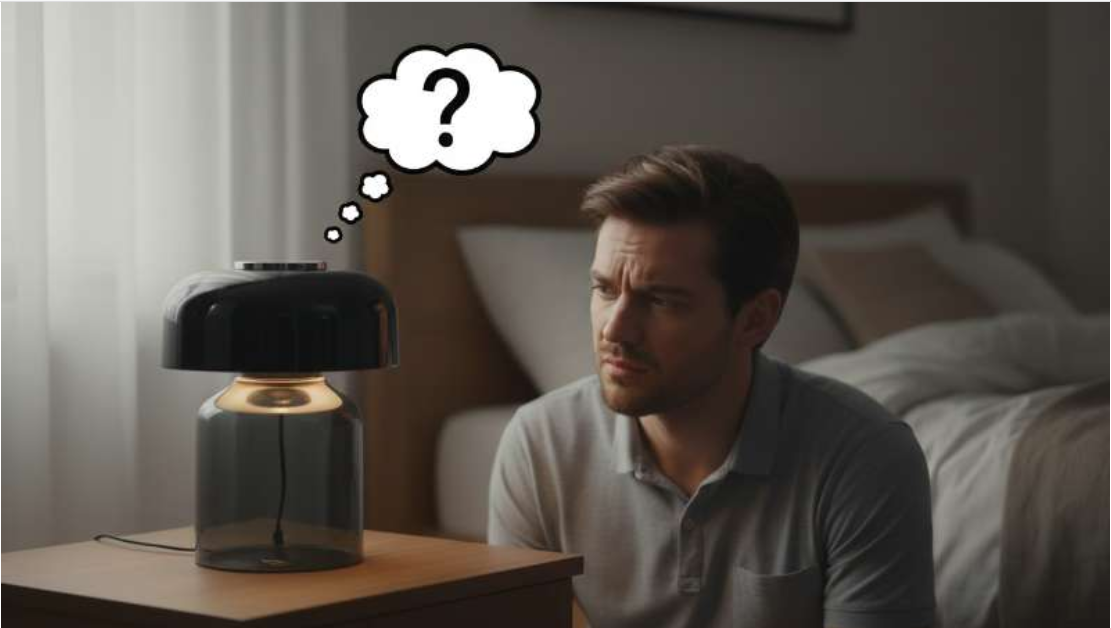
It’s frustrating when your favorite touch lamp suddenly stops working. You tap it, but nothing happens. The light stays off, and you are left in the dark. Many people wonder, “Why did my touch lamp stop working?” It’s a common problem with a few possible causes.
Don’t worry, most issues are simple to fix. This guide will help you understand the problem. We will walk you through easy steps to get your lamp working again.
Understanding Touch Lamp Technology: How They Work and Common Issues

Touch lamps are clever devices. They use a special sensor to detect your touch. This sensor then tells the lamp to turn on, off, or change brightness.
How a Touch Lamp Works
Inside, there’s a small circuit board. This board has a touch sensor and a control module. When you touch the lamp’s metal base, it completes a tiny electrical circuit. This signal goes to the control module.
The control module is the ‘brain’ of your touch lamp. It makes the light react to your touch.
Early Signs of Trouble
Sometimes, a lamp doesn’t just stop working all at once. It might flicker first. Or it might only turn on some of the time. These are clues that something is going wrong.
The Simplest Checks: Power and Bulb Issues for Your Touch Lamp

Before digging deeper, always start with the easiest fixes. Many times, the problem is right in front of you. This can save you a lot of time and effort.
Is it Plugged In?
It sounds silly, but check the plug. Is it firmly in the wall socket? Sometimes, a plug can work itself loose. Try plugging another device into the same outlet to make sure the outlet itself works.
Checking the Light Bulb
The bulb is often the first thing to fail. Take out the old bulb. Look closely at the filament inside. If it’s broken or looks dark, the bulb is bad. Try a brand-new bulb.
The Right Bulb Type for Touch Lamps
Not all bulbs work in touch lamps. Some lamps need a special type of bulb. Older touch lamps often need incandescent bulbs. Newer ones can use LED or CFL bulbs, but they must be dimmable if your lamp has that feature. Using the wrong bulb can make your touch lamp stop working.
Here’s a quick guide:
| Bulb Type | Touch Lamp Compatibility | Notes |
|---|---|---|
| Incandescent | Usually Yes | Original standard for touch lamps |
| Dimmable LED | Often Yes | Check lamp’s instructions, must be dimmable |
| Non-Dimmable LED | No | Will cause issues or not work |
| Dimmable CFL | Sometimes Yes | Less common, check lamp’s instructions |
| Non-Dimmable CFL | No | Will cause issues or not work |
Faulty Touch Sensor: A Common Culprit When Your Touch Lamp Stops Working

The touch sensor is key to how your lamp works. If it goes bad, your lamp won’t respond to your touch. This is a common reason why your touch lamp stops working.
How Touch Sensors Fail
Over time, sensors can wear out. They might get dirty or corroded. Sometimes, a small crack can form. This stops the sensor from detecting your touch properly.
Testing the Touch Sensor
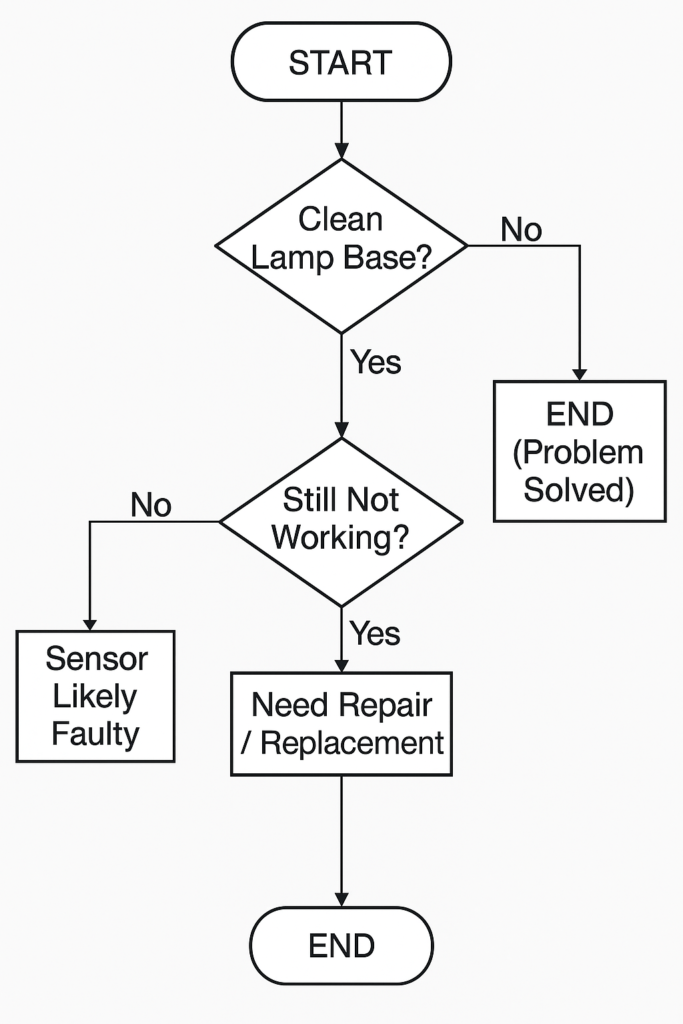
This can be tricky without special tools. However, you can try cleaning the lamp’s metal base. Use a soft, dry cloth. Make sure there’s no buildup that could block the sensor’s function. If cleaning doesn’t help, the sensor itself might be faulty.
Here’s a simple troubleshooting flow:
Wiring and Connection Problems: Internal Issues Affecting Your Touch Lamp

Electrical problems are another big reason why your touch lamp stopped working. These issues are often hidden inside the lamp itself. Be careful when checking wires.
Loose Wires Inside
Inside the lamp, wires connect everything. A wire might come loose from its connection point. This can happen from moving the lamp or just over time. Loose wires stop power from flowing correctly.
Damaged Power Cords
Look at the power cord. Is it frayed? Are there any cuts or damage? A damaged cord is dangerous and can stop your lamp from working. Never use a lamp with a damaged cord.
Checking the Socket
The socket is where the bulb screws in. Check inside the socket. Are the metal tabs bent or corroded? These tabs need to make good contact with the bulb. Gently bend them out if they are flat, but only when the lamp is unplugged.
The Touch Control Module: The Brain Behind Your Lamp’s Function

Every touch lamp has a special part called a control module. This is a small box or circuit board. It manages the touch sensor input and controls the power to the bulb. It’s often the main reason why your touch lamp stopped working if basic checks fail.
What is the Control Module?
The control module interprets your touch. It then sends the right amount of power to the bulb. This lets you dim the light or turn it on/off. It’s a vital component.
Signs of a Bad Module
If your lamp flickers constantly, changes brightness by itself, or simply doesn’t respond, the module might be faulty. Sometimes, a bad module makes a buzzing sound. This is a strong sign.
Replacing the Module
Replacing the module is a common fix. You can buy replacement modules online or at hardware stores. Make sure to get one that matches your lamp’s wattage and type. Always unplug the lamp first!
Here are the tools you might need:
* Small screwdriver set
* Wire strippers
* Electrical tape (optional)
* New touch control module
Environmental Factors Affecting Your Lamp’s Performance

Sometimes, external factors can cause your touch lamp to stop working. These aren’t internal defects but outside influences. Knowing them can help prevent future issues.
Humidity and Moisture
Electronics and moisture don’t mix well. High humidity or direct moisture can damage the internal circuits of your lamp. Always keep your touch lamp in a dry place. Avoid using it near sinks or in bathrooms.
Power Surges
A sudden spike in electrical power can damage the module or sensor. This is called a power surge. Using a surge protector can help keep your lamp safe. It acts as a shield against too much electricity.
Other Electrical Interference
Sometimes, other devices can cause interference. Things like nearby cell phones, radios, or even other lamps. Try moving your touch lamp to a different spot. See if the problem goes away.
Age and Wear: When Your Touch Lamp Just Gives Up

Like all electronics, touch lamps don’t last forever. Components can wear out over time. This natural aging process can explain why your touch lamp stopped working after many years.
Lifespan of a Touch Lamp
Most touch lamps are built to last several years. However, constant use and power cycles put stress on the internal parts. The touch sensor and control module are especially prone to wear.
When to Replace vs. Repair
Deciding to repair or replace depends on a few things. How old is the lamp? How expensive was it? Is it easy to find parts? Sometimes, buying a new lamp is more cost-effective.
“If your lamp is very old, or the repair cost is high, buying a new, modern touch lamp might be the smarter choice.”
DIY Troubleshooting Steps: A Quick Guide
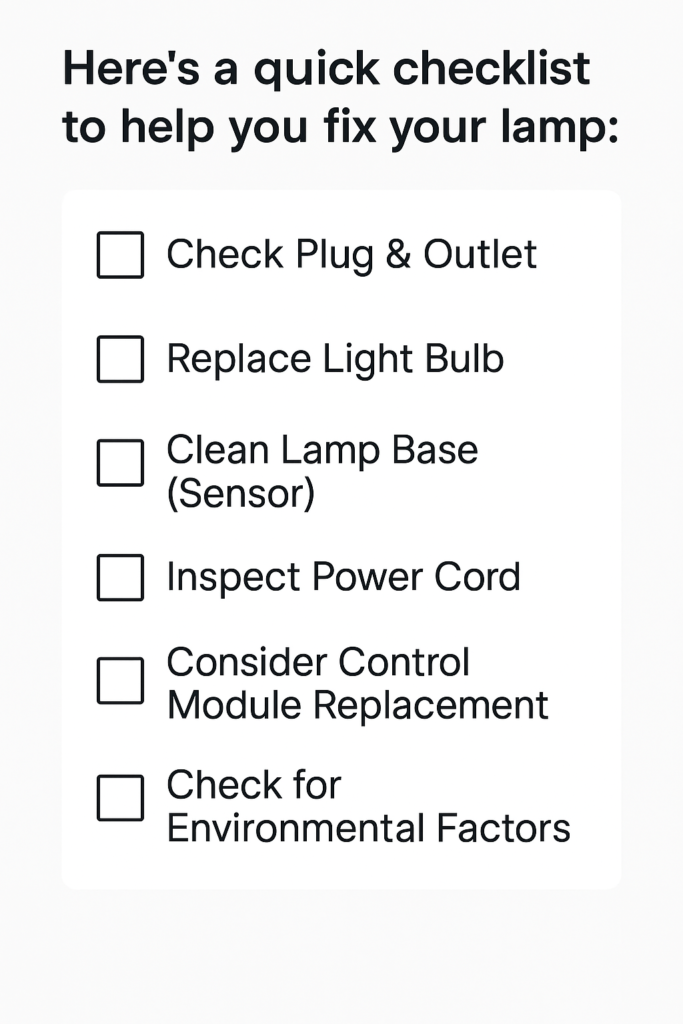
Follow these steps to find out why your touch lamp stopped working. You can often fix it yourself.
Conclusion: Getting Your Touch Lamp Shining Again

It can be annoying when your touch lamp doesn’t work. But don’t give up too quickly. Most problems have simple solutions. By following these steps, you can often pinpoint why your touch lamp stopped working.
Start with the easy checks like the bulb and plug. Then move to the sensor or control module. Even if you need a new part, fixing it yourself can be rewarding. If all else fails, a new lamp might be best. Enjoy your light!
Frequently Asked Questions
What type of bulb works best in a touch lamp?
Most touch lamps require incandescent bulbs, or dimmable LED/CFL bulbs. Non-dimmable LED or CFL bulbs often do not work correctly and can cause flickering or complete failure. Always check your lamp’s manual for specific bulb requirements.
Can a bad control module cause my touch lamp to stop working?
Yes, a faulty touch control module is a very common reason for a touch lamp to stop working. This small electronic component manages the lamp’s touch sensitivity and power levels. If it’s broken, the lamp won’t respond.
How do I replace the touch control module in my lamp?
First, ensure the lamp is unplugged. Then, you can often replace the control module by opening the lamp’s base. Disconnect the old module’s wires and connect the new one, matching the wiring carefully. If unsure, consult an electrician.
My touch lamp only works sometimes. What could be wrong?
Try cleaning the lamp’s metal base with a dry cloth. Sometimes, dirt or residue can interfere with the sensor. Also, ensure the lamp is not near other electronics that might cause interference. If it still doesn’t work, the sensor itself might be faulty.
Can a power surge damage a touch lamp?
Yes, power surges can damage the delicate electronic components inside a touch lamp, especially the control module. Using a surge protector for your lamp can help protect it from sudden spikes in electricity.

I’m Emily Johnson, an affiliate marketer and blogger focused on lamps and lighting. I share honest reviews, simple buying guides, and practical tips. My goal is to help readers choose the right lamp for their space, style, and budget with confidence.